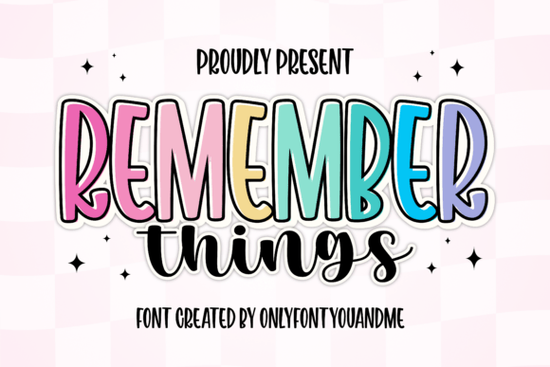
Finding the right typography for a new project often means balancing readability with personality. If you need something cheerful and modern, the Remember Things Font offers a highly versatile solution. This package actually includes two complementary styles: a tall, bold display typeface and a casual handwritten script. Designers, crafters, and small business owners frequently use this combination to create lively branding, custom apparel, and eye-catching packaging. It provides an excellent starting point for anyone wanting to add a friendly touch to their visual work.
What makes this display and script combination useful?
The strength of this duo lies in its contrast. The primary display font features smooth curves and playful proportions. It also comes with a built-in outline layer, which saves time when you are designing decals or stickers. You simply layer the outline behind the solid text to create a clean, die-cut look. Meanwhile, the secondary handwritten script brings a warm, brush-like flow to your layouts. It works perfectly for subheadings, quotes, or adding a personal signature to a bold title. If you enjoy mixing different moods in your portfolio, you might also explore relaxed beach-themed typography or vintage-inspired display typefaces to expand your design library.
Which print-on-demand products sell best with this style?
Because the main display font is tall and impactful, it reads incredibly well from a distance. This makes it a strong candidate for physical merchandise. Print-on-demand sellers often use bold, cheerful lettering for various items that require immediate visual impact. Popular applications include:
- Graphic t-shirts and hoodies
- Ceramic coffee mugs and insulated tumblers
- Canvas tote bags and zipper pouches
- Greeting cards and party invitations
When designing for a younger demographic, the sticker-like outline effect is especially popular. You can easily adapt this aesthetic by pairing it with bubble letters for children's apparel or looking into fonts designed for nursery decor to keep the vibe consistent across an entire product collection.
How do you use the outline layer for custom stickers?
Creating custom decals is one of the most common uses for this package among creative hobbyists. If you are using cutting machine software like Cricut Design Space or Silhouette Studio, the process is straightforward. Type out your word using the bold display font, then duplicate the text layer. Change the bottom layer to the outline version and slightly increase the letter spacing or add a small offset. This gives you a continuous border that your machine can easily cut around without snagging. For those who prefer athletic lettering styles, the tall structure of the main font can also be condensed or stretched to mimic classic collegiate apparel.
What file formats are included for commercial crafters?
When you download the files, you typically receive OTF, TTF, and WOFF formats. The OTF and TTF files install directly onto your computer, making them accessible in standard word processors and advanced design programs like Adobe Illustrator, Canva, or Procreate. The WOFF format is useful if you are building a website and want to maintain consistent branding online. Always check the specific commercial license details provided by the creator before selling your finished physical goods to ensure you are fully compliant.
How can you ensure your text remains readable?
While playful fonts are fun, they still need to communicate your message clearly. Keep your main titles short when using the bold display style, as highly decorative letters can become difficult to read in long paragraphs. Use the handwritten script sparingly to highlight specific words or short phrases. Contrasting the thick, solid weight of the display font with the thin, sweeping lines of the script naturally guides the viewer's eye through the design.
Before you start your next design project, keep these quick steps in mind:
- Install both fonts: Make sure both the display and script files are active in your operating system's font manager.
- Test the hierarchy: Use the bold font for your main message and the script for secondary details to maintain readability.
- Check the outline: Preview the outline layer at the actual print size to ensure the borders do not overlap awkwardly on tight letters.
- Verify your license: Confirm that your current subscription or purchase covers the specific commercial use you have planned for your craft business.
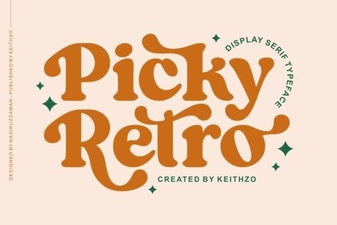 Reviving Nostalgia with Creative Font Pairings
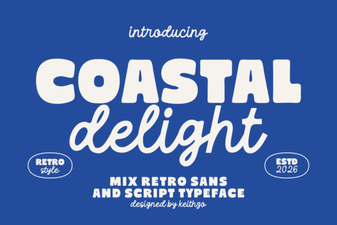 Coastal Delight Font: Perfect for Beachy Designs
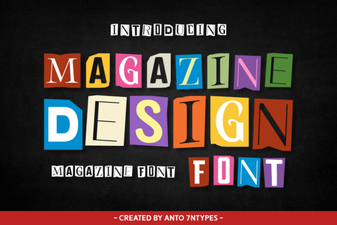 Choosing Fonts for Creative Magazine Layouts
 Selina Daniel Font Duo for Creative Projects
 Spark Your Design with Playful Children Fonts
 Craft Victorian Elegance with Vintage Fonts